
Easy Audio Creation and Editing
There are many audio editors available today. However, many of those will be overkill for average users. Lexis Audio Editor is different. This multimedia application allows you to create an audio track or edit an existing one without being baffled with various buttons and steps. It has a good set of features that will meet that needs of people who are looking for basic editing.
Simple, Straightforward Design
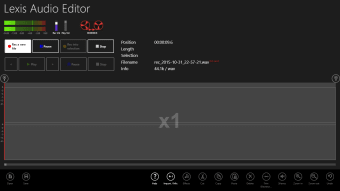
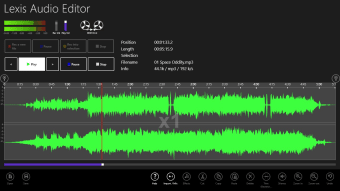
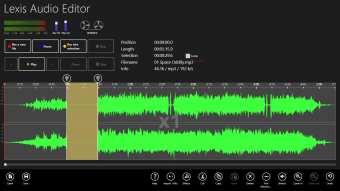
What users will like about the Lexis Audio Editor app is its simple and straightforward design. With this, users can jump right into editing without spending too much time learning the interface. You can import audio files or record sounds directly within the app and then add effects, trim the track, and do other basic edits.
The app comes with fun audio effects like reversing the audio and editing the pitch of the track. But there are also more functional tools that will leave you impressed. Lexis Audio Editor allows you to speed up or slow down the track without affecting the pitch by altering the tempo. With this, you can pick up the pace on one of your favorite songs or slow it down to make it easier to play along with an instrument. You can also do other edits such as equalizing the sound or fade the sound in and out.
Lexis Audio Editor also comes with an audio normalizing and noise reduction tools which ensure that you have a smooth sounding track. The app also allows you to save your created track in various format.
App Limitations
While Lexis Audio Editor may be good, especially for beginners, the app comes with limitations. For one, it can only edit one audio track at a time. This means you cannot make multi-layered track complete with sound effects, multiple audio tracks, and music. A little bit disappointing since it prevents you from creating more sophisticated and nuanced audio tracks. If you are looking to do that, you might look for more powerful apps such as Adobe’s Audition and Reaper.
Furthermore, Lexis Audio Editor is also limited when it comes to other edits. The app does not allow you to snap items together on a timeline or use keyboard shortcuts to jump around within the app. More, there are only twelve effects built in the app that you can use.
Despite the limitation, Lexis Audio Editor works very well when it comes to basic editing. The effects are easy to figure out, and the app creates great tracks.
The App in a Nutshell
Overall, Lexis Audio Editor is a good app to have if you are doing basic audio editing. You can easily clip audio pieces together, add effects, and come up with a good sounding track. More so, you can export your creation in various formats. However, if you are a professional who needs more sophisticated features, you will have to look elsewhere. If you only need to edit songs and recording, then Lexis Audio Editor fits the bill.